
Free Apple Mac style Dock with Windows Vista and RocketDock
 One of the distinctive features of Apple computers is a piece of software called "The Dock". The Dock is sort of an always there menu with big icons that spawn your most frequently used programs. Docks also can run small programs or docklets that can do things like display a clock or show you the weather. Docks also can be configured to display running programs that have been minimized in a mini window. You bring a running program to the front, or launch a program by hovering over the dock with your mouse, and clicking on the icon.
I suppose that people who don't know any better might think that this is something you can only get from Apple, but as it turns out there are docks for Linux and Windows. At home I have a Gateway computer running Windows Vista business, and I wanted to add a Dock. After a bit of hunting, I found some recommendations and settled upon RocketDock from Punk Labs. Punk Labs as it turns out is really a couple (he's a programmer, she's a designer) who go by the pseudonyms of PolyVector and Skunkie respectively. The about screen describes RocketDock tongue in cheek as a "peace offering" from the pair of self admitted Apple fans to Windows users everywhere.
The RocketDock website provides links to the various versions and a straightforward online manual. You get most of the features of the Apple Dock program, and it's very easy to work with. Once installed and running, the RocketDock appears at the top of the screen, with a set of default icons. Right click on the RocketDock and you get a menu that lets you adjust Dock settings. There are various themes that will style the look and feel of the RocketDock, and the RocketDock site offers an Extra's link with downloads to styles and docklet programs other people have contributed. While it's just a quibble with this otherwise great program, there's not much in the way of Docklets available, but I found it hard to resist adding on the simple analog style clock.

RocketDock Settings Dialog
Once RocketDock is installed and running, you'll probably want customize it by removing items you don't want, and adding programs you use frequently. Adding and deleteing is incredibly simple. To delete, hover over the icon of the item you don't want on the Dock and right click. You'll get a choice to delete it. To Add an item there's also a menu item, but RocketDock offers an easier method that will work fine for most people -- find an icon on the desktop or in the menu for a program you want added to the RocketDock and simply drag the icon to the RocketDock!
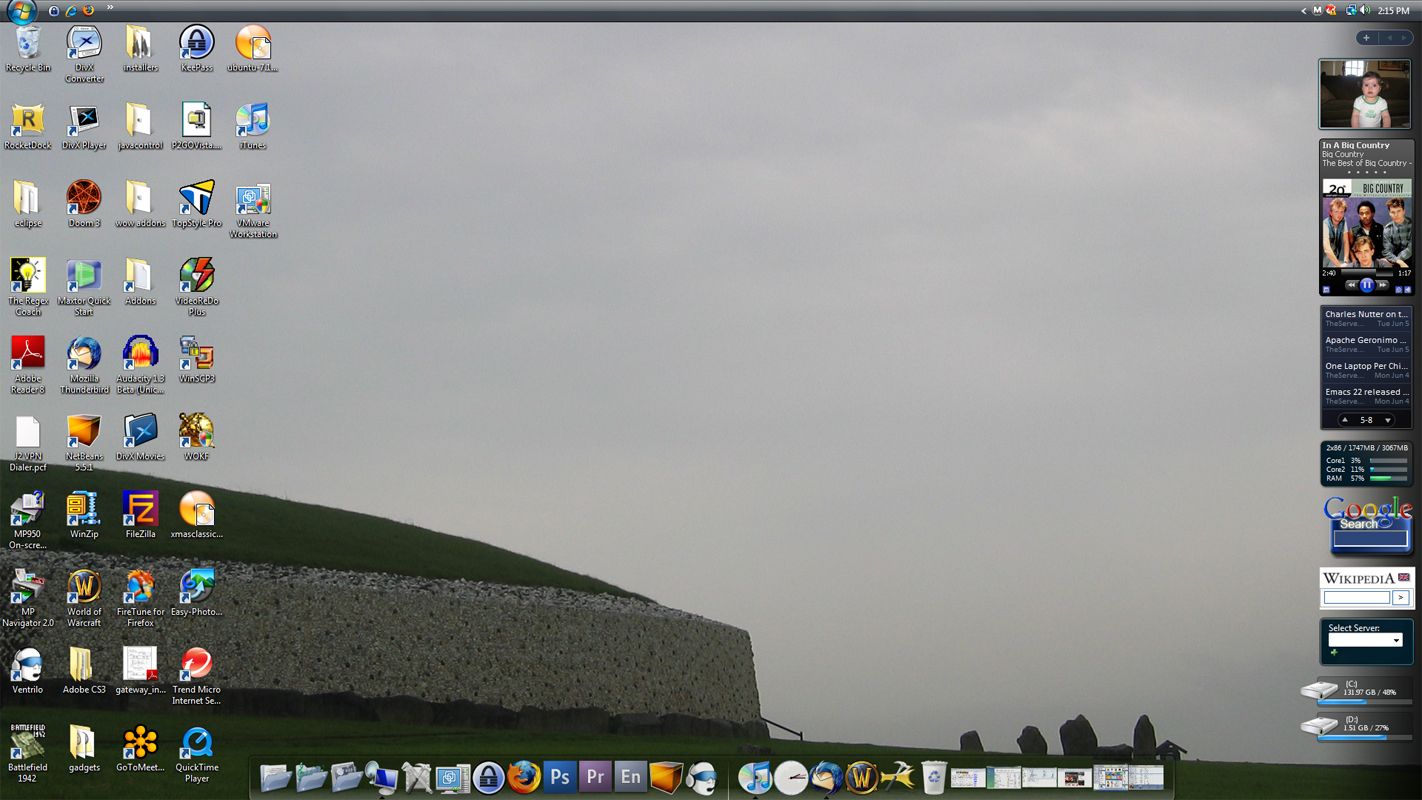
Vista Desktop with RocketDock
Update - 2011: Since writing this article I installed RocketDock on a 64 Bit Windows Vista machine, and a Windows 7 Machine running inside a Virtual Machine. It worked fine in both places, however, the Windows 7 vm doesn't necessarily constitute a good test of a machine with a typical graphics device driver that would support Aero. From what I've seen however, it does seem to work ok, even though Punk Labs has never stated they support it.
In summary RocketDock is fast, stable, and free, so give it a try and say goodbye to Mac Dock envy.
Comments
Display comments as Linear | Threaded
C Calva on :
mostafa.gohary on :
ali on :
Rows on :
Cralos on :
Gizmola on :
Brynell on :
Michael F. on :
That's simply not true. RocketDock is a 32 bit program, but it can be run on 64 bit systems that are capable of running 32 bit software - case in point, I am running it fine on my 64bit Vista system right now.
Rocketdock Rules!!
Gizmola on :
Dave on :
aj on :
lulcats on :
dave on :
tulio on :
RandomFocus on :
David on :
Here's a screenshot.
Stefan on :
Qadir on :
gorka on :
Al the videos that i´ve watched onlye appeared windows Vista
Casey on :
While it worked pretty well it was a lot slower to start. I think this is because all the 64x programs open first then the 32x ones come in after that.
In a bit of good news I just helped my dad organize his new computer. As luck would have it he just got a Toshiba Satellite Intel Core i5 with Windows 7 Home Premium 64x. RocketDock, at least to me, works better on it than on Vista 64x.
Of course your results may very, given different equipment.
Jay on :
jordan on :
Mulham on :
liam on :
bren on :
ch.krishnavamshi on :
windows vista wireless issues on :
David on :
DGFADFH on :
David on :